

In Singapore’s fast-paced business scene, standing out is key. Whether you’re at a meeting, a networking event, or a job interview, the way you share your contact details matters. That’s where the QR Code Business Card comes in.
It’s simple, modern, and effective as a smart upgrade from the traditional name card. With a quick scan, someone can access your full contact info, profile, or even your work portfolio. No more misplaced cards or typing errors. As more professionals and companies in Singapore move towards digital-first practices, these cards are becoming the new standard.
They save time, reduce clutter, and make sure your details are always current. In this post, we’ll explore why QR code cards are rising in use and how you can make the most of them.
What is a QR Code Business Card?
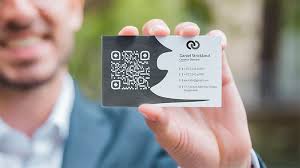
A QR Code Business Card looks like a regular name card but with something extra features. It carries a printed QR code that jumps to your contact details or other info. When someone scans the code with their phone, your details appear on their screen. No typing at all.
The best part? You can send people to more than just your number or email. The code can open your LinkedIn page, company site, portfolio, or booking link.
Why Singapore Professionals Use QR Code Business Cards
1. Easier to Save and Share
A QR Code Card helps others save your contact information without having to type anything. It cuts down the chance of errors or mix-ups. It also makes it easy for people to share your details with others in their network.
2. Keeps Your Details Up to Date
Printed name cards become outdated when you change jobs or phone numbers. A QR code can link to a page you control. If your info changes, you just update that page. The code stays the same.
3. Makes Networking Smoother
Singapore hosts many business events, trade shows, and job fairs. QR codes speed up how you share information. At busy events, time is tight. A quick scan means less time spent swapping cards and more time having real conversations.
4. Looks Modern and Professional
The QR code adds a tech-savvy touch to your name card. It shows that you care about clear communication and smart tools. In many industries, that leaves a strong impression.
Latest Trends in QR Code Business Cards
Trend 1: Clean, Simple Designs
More professionals are choosing clean layouts. They print just the QR code, name, and job title. The code does the talking. When scanned, it gives full contact details, links, and even a photo or intro.
Simple cards also mean less clutter. This clean look works well for people in tech, design, sales, and leadership roles.
Trend 2: Digital Portfolios
Some QR codes link to online portfolios. This is useful for people in creative, media, or marketing jobs. It lets them show past work on the spot.
Instead of handing over a card and hoping the other person checks your work later, the code shows it right away. It makes your skills clear from the start.
Trend 3: Paperless Name Cards
Going fully digital is another trend. Some professionals store their QR code on their phone screen. Others add it to their email signature, website, or even their LinkedIn banner.
This reduces paper use and gives people a fast, direct way to connect. It also helps the environment, which many Singapore companies now value.
Trend 4: Safer Contact Sharing
Contactless sharing still matters. People may not want to take printed cards. A QR code keeps things safe and smooth. It shows you respect health concerns and are prepared for different situations.
How to Use a Name Card QR Code Well
Choose What the QR Code Links To
Don’t just link to your company homepage. Use a simple page that shows:
- Your name and photo
- Your job title and company
- Phone and email
- LinkedIn link
- A short bio or key skills
This gives others a clear idea of who you are and how to reach you.
Test Before You Share
Print a sample and test the code. Try it on both Android and iPhone. Make sure the code is easy to scan and leads to the right page. Check that all the links work.
You only get one chance to make a first impression. A broken link sends the wrong message.
Add a Short Note Near the Code
Some people still don’t know what to do with a QR code. Add a line like:
- “Scan to save my contact”
- “Tap for my profile”
- “Open my portfolio”
It gives clear direction and helps the other person take action.
Keep the Card Neat
Avoid small fonts and too many colours. The code should stand out. Use good contrast so it scans well. Stick to your company’s colour scheme or your personal brand.
When to Use QR Code Business Cards in Singapore
At Networking Events
Singapore has many business mixers and career events. A QR Code Business Card helps you connect fast and stand out in a crowd. It also helps people remember you when they go through contacts after the event.
In Job Interviews
If you’re job hunting, the code can link to your CV, cover letter, or LinkedIn profile. It gives hiring managers what they need on the spot.
During Client Meetings
In client-facing roles, this small touch shows attention to detail. It also shows that you use current tools. This builds trust and makes your work feel sharp and well-organised.
On Social Media
You can also use the same name card QR code on your social media pages. Add it to your LinkedIn post, website, or blog. It helps people reach you without searching.
Making the Switch to QR Code Business Cards
If you haven’t used a QR code before, start small. Try a short print run. Test it with close contacts. See what works. Then roll it out to more people.
If you work in a team, make sure everyone knows how to use the code and what it links to. This keeps your company’s message clear and strong.
Final Thoughts
The way you present yourself makes a difference. A QR Code Card is more than a trend as it’s a simple tool that fits how people in Singapore work and connect today. It helps you stay current, saves time, and makes sharing contact details easier than ever.
Whether you’re in tech, sales, design, or leadership, adding a name card QR code to your personal brand can lift your first impression. You stay ready for every opportunity, whether online or face-to-face.
It’s clean, smart, and easy to use as a natural fit for modern professionals. If you want your name card to do more than just share a phone number, this is your next step. Make the switch and keep networking simple and strong.
FAQs
1. Do people use QR Code Business Cards at serious events?
Yes. Many people in Singapore bring QR Code Business Cards to big meetings, job talks, and work events. These cards show that you stay sharp and like to share your info fast and clearly.
2. What if someone can’t scan my QR code?
Don’t worry. Most people know how to scan with their phones. Still, you can add a small note like “Scan to get my contact”. This helps everyone scan with no trouble.
3. Can I still hand out paper cards with a QR code?
Yes, you can. Print a neat card with your name, job, and the QR code. That way, the card stays clean, and the code leads people to all your details
4. Where should my QR code take people?
Send them to a page that shows your name, photo, phone, email, and short info about your work. You can also guide them to your LinkedIn, company page, or your work samples. Make sure the page looks good and works on phones.