Security today starts at the door. Whether for an office, a building, or a secure room, controlling who gets in shapes how a space stays safe. Modern security often begins with card access control systems, which rely on readers that detect and verify cards with precision. Among many available options, the hid proximity card reader stands out as a reliable and familiar tool.
Choosing the right reader means more than plugging in a device. It means looking at how well it connects, how it works with different cards, and how it fits into your broader security setup. Many readers exist, but not all will serve your system the same way. If you’re installing a new setup, it helps to understand how these devices work, what features to check, and which models lead in performance and use.
Let’s explore what makes a proximity card reader the right fit, especially when building a new access control solution.
Understanding Proximity Card Readers
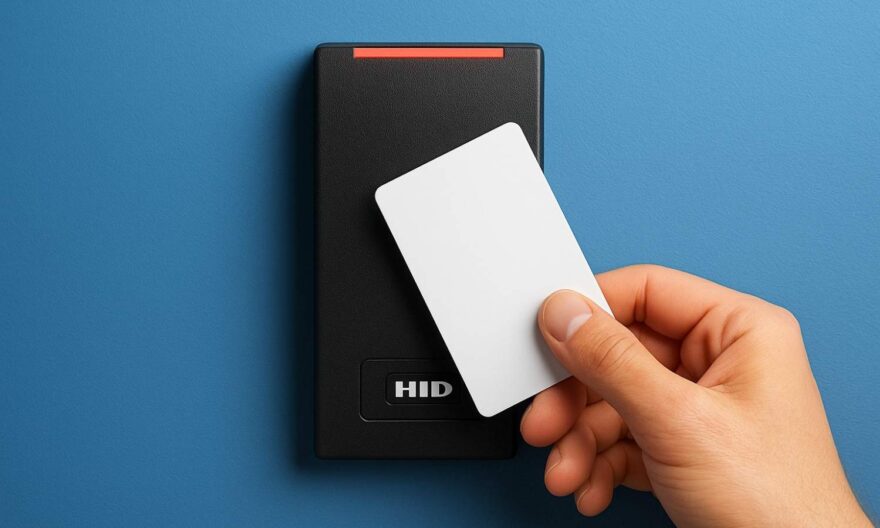
A proximity card reader reads access cards without needing contact. It uses low-frequency signals to detect a card as it passes within range. This allows users to tap or wave the card in front of the reader to unlock a door.
These devices don’t just open doors. They also track entries, connect to alarm systems, and control building access. Since they require only a scan, they reduce touch and move people through more quickly.
Although many types exist, hid proximity card reader devices set a strong standard across industries. They support consistent card detection, easy setup, and long-term stability.
How Card Access Control Systems Work?
At the heart of any card access control system is a simple idea: only let approved people through. The system links access cards, readers, and control panels. When a user scans a card, the system checks its number. If it matches the list, the door unlocks.
Every scan leaves a digital trail. That means these systems do more than open doors — they also track time and movement. You can see when someone entered and which door they used.
These systems often integrate with cameras, alarms, and fire control systems, creating a connected approach to building safety.
Key Features to Look For in a Reader
Not all readers offer the same strength or tools. When choosing a reader for new systems, it’s important to focus on features that make operation smoother and more secure.
1. Compatibility with Multiple Cards
Choose readers that support various card formats. This gives more room to switch or add cards in the future.
2. Weather and Tamper Protection
Installers often place readers outdoors. That means the reader must resist dust, water, and attempts to pry it open.
3. Easy Integration with Access Systems
Look for readers that connect easily to existing panels, wires, or doors. A new system should not need complicated changes.
4. Simple User Experience
Users must be able to scan without delay. A good reader works fast and reads through bags or wallets with ease.
Benefits of HID Proximity Readers
When used as part of modern card access control systems, HID readers provide solid benefits. They work with a wide range of cards and formats, making them a good fit for both old and new setups.
These readers also offer a strong design. Some models include LED lights or sound to show if a scan works. That adds user feedback, which helps people use them correctly.
Security teams value these readers for their strong tracking and low failure rate. Even after long use, they read with accuracy and respond without pause.
Common Reader Types and Formats
When choosing the best reader, knowing the types available helps. Here are a few formats and their uses:
1. Mullion Readers
Thin and long, mullion readers fit on narrow door frames. They serve well in tight spaces or where sleek design matters.
2. Wall-Mount Readers
These square or rectangular units suit most walls. They often support longer range and more features.
3. Keypad and Reader Combos
Some readers add number pads, allowing users to enter a PIN along with scanning their card.
Each type serves a different space. Think about who will use the door and what will fit well before picking one.
Installing Readers for New Systems
Setting up new systems needs more than picking a reader. You also plan for wiring, power, control panels, and software.
1. Check Power and Data Lines
Ensure the reader connects to the right power source and uses supported data types like Wiegand or OSDP.
2. Test Reader Location
Scan range depends on where you place the reader. Avoid metal surfaces and test before final install.
3. Pair with Software Early
Software should match the reader’s card format. Make sure both work together before cards go out to users.
Taking time during setup helps avoid fixes later.
Factors That Influence Reader Choice
Each system has its own needs. Think about these key points when picking your reader.
- User Count – Choose a reader that handles your user size, whether 20 or 2,000.
- Access Levels – Some doors may need higher checks. Use readers with PIN or dual factor support for those areas.
- Building Layout – Wide entries may need longer-range readers. Tight doors may need mullion styles.
- Future Upgrades – Choose readers that support flexible formats so you don’t need to replace them later.
The best choice balances performance, space, and user flow.
Comparing Top HID Reader Features
Before you buy, it may help to compare common features across reader types. The table below outlines what to expect from each:
| Reader Type | Best Use Case | Scan Range | Security Features |
| Mullion Reader | Small door frames | Short | Basic tamper alert |
| Wall-Mount Reader | Standard entry points | Medium | Weather-proof design |
| Keypad Combo Reader | High-security entries | Short | Dual-authentication |
| Long-Range Reader | Car parks, gates | Long | Anti-clone technology |
Each type fits a different purpose. Pick based on need, not just size or look.
How to Keep Systems Secure
After you install a reader, security still depends on good habits. Keep systems strong with these practices:
- Rotate access codes or PINs often
- Revoke access when staff leave
- Update firmware when available
- Limit admin rights to a few users
- Train users on proper card use
Even the best reader fails if users don’t follow safe habits. Pair tools with rules.
Final Thoughts
When building a new security system, the door often sets the tone. A reader must do more than scan — it must fit the system, the people, and the space. A HID proximity card reader checks all these boxes for many teams worldwide.
It works with common formats, handles tough conditions, and fits a wide range of doors. But the best reader for you still depends on where and how you plan to use it. Review your building size, door layout, and long-term goals.
With the right plan, your access system becomes smooth, strong, and simple. Choose wisely, and your space stays secure without slowing down those who belong inside.
FAQs
What makes a card reader work better in outdoor areas?
Readers built with sealed cases and UV protection last longer outdoors. They also block water and dust from entering.
Can one reader work with many card types?
Some models support multiple card formats. These give more flexibility if you plan to upgrade later or use different cards.
Do I need software to run my card access control system?
Yes. Software stores user details, controls access levels, and records entry times. It works with the reader to unlock doors only for approved users.
How far can a proximity card be read?
Most proximity readers scan from 2 to 6 inches. Long-range readers can scan from several feet away, depending on the model and setup.