The world experiences a break-in incident which occurs every few seconds. The frequency of break-ins makes most people think about home security. The process of selecting appropriate home security cameras creates challenges for most people.
The process of selecting an appropriate product requires you to evaluate options to prevent financial waste.
This guide explains the process of selecting suitable security cameras based on your home requirements and budget and personal preferences.
Why Home Security Cameras Are Worth It
A security camera system provides two primary functions which include capturing video footage and preventing unauthorized access..
The surveillance system allows users to monitor their property while observing delivery activities and checking on senior family members. The system provides protection to users because it enables them to stay secure throughout their time on their property.
Modern inexpensive security cameras now provide advanced functions which used to belong exclusively to high-end systems from a few years ago.
How to Choose the Best Home Security Cameras for Home
Choosing the right home security cameras starts with understanding your space, your risks, and what level of protection you actually need.
Step 1: Know Where You Want to Place Your Camera
Before you choose a camera, think about placement first. This one decision affects everything.
Ask yourself:
- Is it for indoor or outdoor use?
- Will it face rain, dust, or direct sunlight?
- Do you need a wide view or a focused angle?
- Is there a power source nearby?
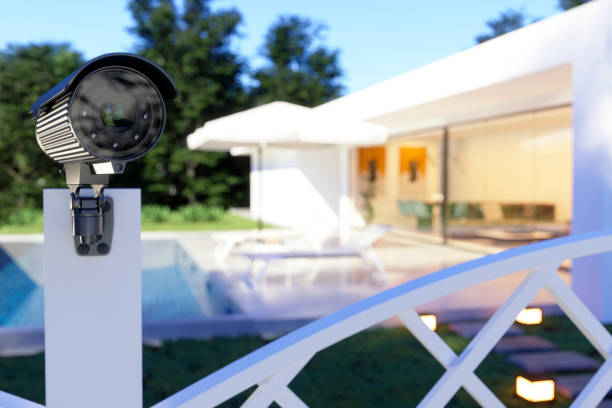
Outdoor cameras should have weatherproof ratings like IP65 or IP67. Indoor ones can be smaller and less visible. For example, a front door needs a wide view, while a driveway benefits from zoom.
Step 2: Understand the Key Features That Actually Matter
Camera boxes list many specs, but only a few really matter in daily use.
Resolution
Choose at least 1080p Full HD. Its resolution allows identification of both faces and number plates. Higher options like 2K or 4K help with larger outdoor areas.
Night Vision
Most events happen in low light. Infrared gives black-and-white footage, while colour night vision offers better detail if there’s some light.
Motion Detection
Recording all the time uses too much storage space, but motion detection helps reduce storage needs. Advanced models can detect people or vehicles, which helps decrease false alerts.
Two-Way Audio
You can speak through the camera using your phone. It’s useful for deliveries or warning someone off.
Storage — Cloud vs Local
Cloud storage enables users to access their data from any location, but users must pay for access to their data. Local storage has no ongoing cost, though footage may be lost if the device is taken.
Step 3: Decide Between Wired and Wireless
The choice we make today holds greater significance than people usually understand.
Wireless Cameras
The installation process is simple while users can position the device anywhere they wish. The system operates through Wi-Fi yet requires users to maintain batteries because connections may fail at certain moments.
Wired Cameras
The system provides enhanced stability and dependability because it operates without any battery problems. The process requires extended time because users must install all components starting from the base to install cables throughout the space.
A wireless camera with a power adaptor provides most homes an ideal solution because it enables users to install the system easily while delivering reliable performance.
Step 4: Think About Smart Home Compatibility
If you already use smart devices at home, your camera should work with them. This makes control easier and keeps everything in one place. Even if you don’t use a smart system yet, it’s wise to choose a camera that can support it later.
- Google Home: View live footage on smart displays and control settings with voice commands.
- Amazon Alexa: Check camera feeds on Echo devices and create simple routines.
- Apple HomeKit: Manage cameras securely within the Apple ecosystem with strong privacy features.
What to Look For in a CCTV Camera for Home in Singapore
People believe that CCTV camera for home in Singapore have become outdated because they exist as business security tools. That’s not true. In fact, they remain one of the most reliable ways to secure a home.
Reliable Local Storage
CCTV systems store footage on a hard drive, so you don’t rely on cloud services. This maintains your data security while eliminating recurring expenses.
Multi-Camera Coverage
You can connect several cameras to one system for full home protection. This enables you to observe all vital locations through one display.
Long-Term Stability
CCTV systems maintain operational stability after installation because they only need minor maintenance. They deliver consistent functioning to meet the demands of larger residential spaces.
Conclusion
The process of selecting suitable home security cameras can be done through straightforward methods. Begin with your area and then select essential functions before choosing a camera which matches your daily activities.
The correct security system for your needs becomes clear when you select between using a single smart camera for your front entrance or installing complete CCTV systems to secure your entire property. Use this guide at your own pace to make an intelligent purchasing decision.
FAQs
What is the best home security camera for home use?
Your specific requirements determine which camera serves as your optimal option. A 1080p wireless camera equipped with motion detection and two-way audio and storage options through cloud services or local storage functions as an excellent basic solution for most residential properties.
Do home security cameras work without Wi-Fi?
Some devices operate without an Internet connection. Wired CCTV systems record to a local DVR or NVR without needing Wi-Fi. Battery-powered cameras, however, usually need a connection to send alerts and footage to your phone.
How long do home security cameras keep footage?
The duration depends on available storage space. Cloud storage services maintain recorded video for a period ranging between 7 and 30 days. Local storage keeps data until the memory card or hard drive reaches full capacity, at which point the system begins to delete the oldest recorded material.
Are CCTV cameras for home different from smart security cameras?
Yes, in a few ways. CCTV systems usually involve multiple cameras connected to a central recorder with local storage — no subscription needed. Smart cameras function as independent devices which connect to Wi-Fi networks and use cloud storage for data storage.