


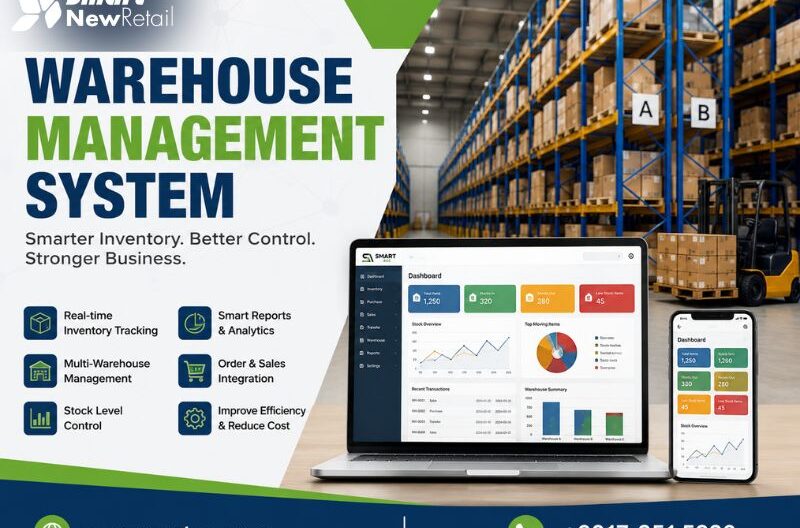
A warehouse management system (WMS) is software that controls and optimizes daily warehouse operations – from receiving goods to shipping orders. It tracks inventory in real time, directs staff movements, and connects with broader supply chain tools. For businesses managing physical stock, a WMS reduces errors, cuts labor costs, and improves order accuracy across the entire fulfillment process.
If you’ve been running your warehouse on spreadsheets or basic inventory lists, you’ve likely felt the pressure — missed shipments, stock discrepancies, and staff spending hours locating items. A warehouse management system is built to fix exactly that. This guide breaks down what WMS software actually does, how it works in practice, and what first-time buyers should look for before making a decision.
What Does a Warehouse Management System Actually Do?
At its core, a WMS is an operational control center for your warehouse. It doesn’t just track what’s in stock — it manages how stock moves through your facility at every stage.
Here’s what a typical WMS handles day to day:
- Receiving and putaway: Scans incoming goods, validates them against purchase orders, and assigns storage locations based on demand frequency or product type.
- Inventory tracking: Maintains a live, location-specific view of every SKU across bins, racks, and zones.
- Pick, pack, and ship: Generates optimized pick routes, confirms packing accuracy, and prepares shipping documents automatically.
- Returns processing: Manages reverse logistics, re-stocks usable items, and flags damaged goods for write-off.
- Reporting and analytics: Surfaces KPIs like order accuracy rate, pick speed, and inventory turnover for management review.
Each of these functions happens within a connected workflow — not as isolated tasks. That’s what separates a WMS from a basic inventory spreadsheet or standalone barcode scanner.
How Does a Warehouse Management System Work?
Understanding the mechanics helps you evaluate whether a system will actually fit your operation.
Step 1 — Data Capture at Every Touchpoint
A WMS relies on real-time data capture through barcode scanners, RFID readers, or mobile devices. Every time a product is received, moved, picked, or shipped, the system logs it. This eliminates the lag between physical movement and system records — a major source of stock discrepancies in manual operations.
Step 2 — Intelligent Location Management
Rather than storing items wherever space is available, a WMS assigns storage locations based on rules you define — pick frequency, product dimensions, expiry dates, or order patterns. Fast-moving SKUs sit close to dispatch. Bulky items get assigned to ground-level racking. This logic cuts pick time and reduces picker fatigue over a shift.
Step 3 — Task Orchestration for Staff
Workers receive task instructions directly on handheld devices or headsets. The system sequences tasks based on priority, location, and available labor — so a picker isn’t walking from one end of the warehouse to the other unnecessarily. This approach, sometimes called directed work, consistently improves throughput without adding headcount.
Step 4 — Integration With Your Broader Systems
A WMS rarely works in isolation. It connects with your ERP, accounting software, eCommerce platform, and transport management tools. When an order comes in through your sales channel, it flows into the WMS automatically. When it ships, the tracking data pushes back to your customer-facing systems. This integration is where warehouse automation genuinely starts to compound in value.
Why Inventory Tracking Alone Isn’t Enough
Many SMEs start with basic inventory tracking tools — and there’s nothing wrong with that. But tracking tells you what you have. A WMS tells you where it is, how it’s moving, and when to act.
Consider this scenario: You have 500 units of a product on hand. Your inventory tracker confirms the count. But your WMS flags that 200 of those units are in a slow-access aisle, 50 are nearing expiry, and current pick routes are adding 12 minutes per order unnecessarily. That’s the operational intelligence difference.
According to industry research from Logistics Management, warehouses using a dedicated WMS report up to 25% improvement in order accuracy and a measurable reduction in labor costs within the first year of deployment. For SMEs operating on tight margins, those gains are not incremental — they’re structural.
Key Features to Evaluate as a First-Time Buyer
Not every WMS is built the same way. Here’s a feature comparison to help you prioritize:
| Feature | Why It Matters | Must-Have or Nice-to-Have
|
|---|---|---|
| Real-time inventory visibility | Prevents overselling and stock-outs | Must-Have |
| Barcode / RFID scanning support | Speeds up receiving and pick accuracy | Must-Have |
| ERP and accounting integration | Eliminates double-entry and reconciliation errors | Must-Have |
| Multi-location support | Essential if you manage more than one warehouse | Depends on scale |
| Mobile / handheld device compatibility | Enables floor-level task management | Must-Have |
| Demand forecasting | Reduces overstock and dead inventory | Nice-to-Have for SMEs |
| Returns management | Handles reverse logistics cleanly | Depends on industry |
For first-time buyers, prioritize the must-haves. A system packed with advanced features you won’t use in year one adds complexity without value. Start lean, and scale functionality as your team builds confidence with the platform.
Cloud-Based vs. On-Premise WMS: What’s the Difference?
This is one of the first decisions you’ll face. Here’s a plain-language breakdown:
Cloud-based WMS runs on vendor-hosted servers. You access it through a browser or app. Updates happen automatically. Lower upfront cost. Scales easily. Ideal for SMEs without a dedicated IT team.
On-premise WMS is installed on your own servers. Higher setup cost. Full data control. Better suited for large enterprises with complex customization needs or strict data residency requirements.
For most warehouse managers running small to mid-size operations, cloud-based WMS software offers the better entry point — faster deployment, predictable subscription costs, and no infrastructure overhead.
Common Mistakes Businesses Make When Choosing a WMS
A few patterns show up repeatedly among first-time buyers:
- Choosing based on price alone: The cheapest option rarely supports growth. Evaluate total cost of ownership over three years, not just the monthly fee.
- Ignoring implementation support: A WMS is only as good as the team helping you deploy it. Ask vendors specifically about onboarding, training, and post-go-live support.
- Underestimating integration complexity: If your WMS doesn’t connect cleanly with your existing ERP or eCommerce tools, you’ll end up managing two systems manually — defeating the purpose.
- Skipping the team buy-in step: Warehouse staff resistance is a real adoption risk. Involve floor supervisors early in the selection process. Their feedback prevents costly workflow mismatches.
The Real Business Impact of Getting WMS Right
A well-implemented WMS doesn’t just organize your warehouse — it changes how your business competes. Faster, more accurate fulfillment directly affects customer satisfaction scores. Reduced stock discrepancies lower write-offs. Better labor utilization means you can handle volume growth without proportional headcount increases.
For SMEs, the compounding effect is significant. You’re not just solving today’s picking errors — you’re building an operational foundation that supports the next stage of growth without rebuilding processes from scratch.
If you’re evaluating WMS options for the first time, SMART offers a warehouse management solution built with SME operations in mind — combining practical functionality with the integration depth your supply chain needs as it scales.
Read our popular Blog: Why Are Businesses Adopting E-Invoice Integration Systems?
Frequently Asked Questions
What is the main purpose of a warehouse management system?
A warehouse management system controls and optimizes warehouse operations — including receiving, storage, picking, packing, and shipping. Its primary purpose is to improve inventory accuracy, reduce operational errors, and speed up order fulfillment by giving managers and staff real-time visibility over stock and task workflows.
How is a WMS different from an inventory management system?
An inventory management system tracks stock quantities and values. A WMS goes further — it manages the physical movement of goods within a warehouse, directs staff tasks, optimizes storage locations, and integrates with shipping systems. Think of inventory management as the “what” and WMS as the “how and where.”
Is WMS software suitable for small and medium-sized businesses?
Yes. Cloud-based WMS software is now accessible and cost-effective for SMEs. Modern platforms offer modular features, lower upfront costs, and scalable pricing — making it practical for businesses managing even a single warehouse to implement a system without enterprise-level budgets or IT teams.
How long does it take to implement a warehouse management system?
Implementation timelines vary by complexity. A cloud-based WMS for an SME typically takes four to twelve weeks, depending on integration requirements and data migration. On-premise deployments at larger facilities can take several months. Vendors with strong onboarding support significantly reduce go-live delays.
What integrations should a WMS support?
At minimum, a WMS should integrate with your ERP, accounting software, and eCommerce platforms. Transport management systems and supplier portals are valuable additions as your operation scales. Strong API support ensures the WMS connects cleanly with both current tools and future systems without manual workarounds.
What is warehouse automation and how does it relate to WMS?
Warehouse automation refers to using technology — conveyors, robotics, automated storage systems — to reduce manual tasks. A WMS acts as the intelligence layer that directs and coordinates these automated systems. Without a WMS managing workflows, warehouse automation hardware operates without the operational logic needed to maximize its efficiency.