


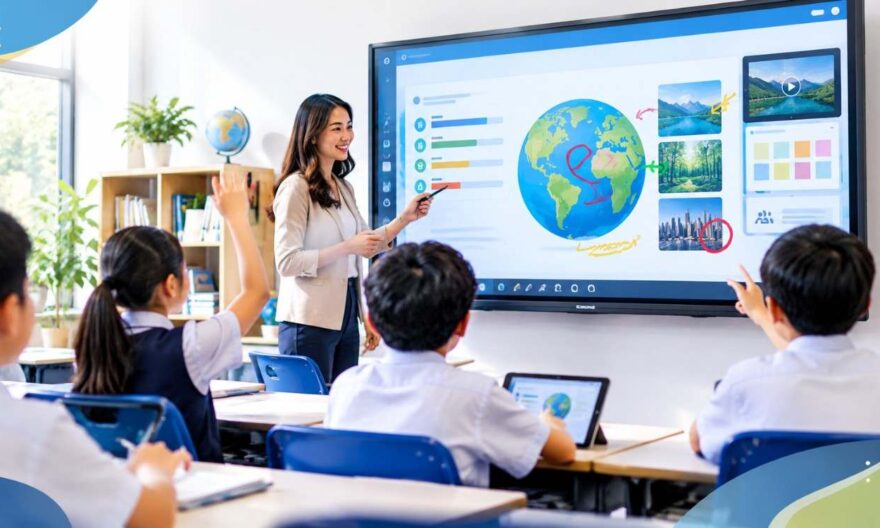
Teachers can use an interactive display for classes to transform passive lessons into active learning experiences. By combining touch-based annotation, multimedia content, real-time polling, and collaborative activities on a single screen, educators can increase student attention, participation, and knowledge retention — all without overhauling their existing lesson plans.
Why Student Engagement Drops — and What the Research Says
Disengagement of students is not a new problem but it is a growing problem. Research from Singapore’s Ministry of Education has consistently shown that rote learning needs to move away from, and toward, inquiry-based, student-centred approaches. Another survey by IMDA Singapore in 2023, revealed that students in classrooms that used technology were more motivated than those in traditional classrooms.
Rarely is it the students’ fault. “Often it’s the format. Lectures that rely on static slides or whiteboards do little to motivate learners mentally. Interactive technology fills this gap by providing students something to do, not just something to watch.
Step 1: Start Lessons With a Live Poll or Question Prompt
Before teaching a single new concept, use your display to post a question students can respond to in real time. Tools like Mentimeter or Poll Everywhere integrate seamlessly with interactive panels and show live results on screen.
This does two things immediately. It activates prior knowledge and gives you instant diagnostic data about what your class already understands. You stop guessing and start teaching to actual gaps.
Practical example: Before a science lesson on ecosystems, display a poll asking students to rank which environmental factor they think matters most. Use the results to guide your introduction — no pre-planned script needed.
Step 2: Use Annotation Tools to Make Thinking Visible
One of the most underused features of an interactive board display is on-screen annotation. Rather than pointing at static text, teachers can highlight, underline, circle, and draw directly over any content — documents, maps, images, or videos.
More importantly, students can do this too. Inviting a student to come up and annotate a diagram or mark an answer on a map turns a passive observer into an active participant. That shift in role changes how students pay attention throughout the lesson.
Tips for Effective Annotation in Class
- Use colour-coded highlights to separate ideas — red for problems, green for solutions
- Ask students to circle errors in a displayed piece of work
- Use split-screen to annotate a before-and-after comparison simultaneously
- Save annotated screens at the end of class as revision materials
Step 3: Run Collaborative Activities Directly on the Screen
Interactive displays have multi-touch input so multiple students can be on the screen at the same time. This enables group activities that cannot be done on a traditional whiteboard.
Or try a digital sorting activity where students drag and drop vocabulary into categories, or a timeline activity where students physically line up historical events in order. These tasks involve discussion, negotiation, and reasoning – the building blocks of deeper learning.
This form of structured interaction complements well with the collaborative learning embedded in the national curriculum framework of Singapore’s primary and secondary classrooms, which is aligned to the 21st Century Competencies of MOE.
Step 4: Bring Lessons to Life With Embedded Multimedia
Static textbook content rarely matches the speed at which students consume content outside of school. Interactive panels enable teachers to embed videos, 3D models, virtual tours and subject-specific apps without having to switch between devices or fumble with cables.
A geography teacher could bring up a live satellite map during a lesson on urbanization. A language arts teacher might show a snippet of a film and stop it in the middle of a scene for a class discussion. The ability to switch between media types fluidly makes lessons more dynamic and reduces dead time, which causes students to lose attention.
Subject-Specific Ideas to Try
- Mathematics: Use dynamic graphing tools to show how changing a variable shifts a curve in real time
- Science: Display virtual lab simulations for experiments that cannot be done in the classroom
- History: Overlay historical maps on modern ones to show how borders have changed
- English: Annotate a shared text together, with students adding their own interpretations on screen
Step 5: Use Screen Mirroring to Include Every Student
Interactive displays with screen mirroring enable teachers to wirelessly project a student’s tablet or laptop to the main screen. This is an effective instrument for inclusion. If students are shy about speaking in front of others, they can present their written or visual work to the class without the pressure of standing up in front.
It also allows for some peer teaching moments. The class can talk through a student’s working method on the big screen, which helps the presenter to understand better and gives everyone else alternative views.
Step 6: Record and Replay Key Moments for Revision
Screen recording functionality is built into most modern interactive panels. Teachers can record a live explanation with their voice and annotations, as well as anything they have on their screen and share it with students later on.
This is especially useful for students who were absent from class, students who need more time to process information or classes preparing for exams. A recorded walkthrough of a worked example (5 minutes) is often more useful than a page of notes.
Making the Most of Your Interactive Display Every Day
What makes the difference between a display that collects dust and a display that transforms a classroom is routine use. The teachers who see the greatest impact are those who incorporate the panel into their daily lesson flow, not just for special presentations.
Begin with one or two of the strategies above. Learn more. Then, as you gain confidence, add more features. The technology should be adapted to your teaching style, not the other way around.
For schools in Singapore looking for reliable, education-grade hardware to support these approaches, Exotic offers interactive flat panel displays built for the demands of daily classroom use — combining durability, touch responsiveness, and seamless software integration in one system.
Frequently Asked Questions
What is an interactive display for classes used for?
An interactive display for classes is used to deliver lessons through touch-based interaction, multimedia content, live annotations, and collaborative activities. It replaces static whiteboards and projectors with a single, responsive screen that both teachers and students can engage with directly during lessons.
How does an interactive board display improve student engagement?
An interactive board display improves engagement by making students active participants rather than passive viewers. Touch interaction, real-time polling, and group tasks on screen give students a reason to stay focused, resulting in higher participation rates and better retention of lesson content.
Can interactive displays be used for all subjects?
Yes. Interactive displays work across all subjects — from dynamic maths graphing tools and science simulations to annotated literature texts and historical map overlays. The panel adapts to any content type, making it a flexible tool for teachers regardless of their subject area or year level.
Do teachers need technical training to use an interactive flat panel?
Most modern interactive flat panels are designed with intuitive touch interfaces that require minimal technical training. Basic functions like annotation, screen mirroring, and media playback are accessible within minutes. Deeper features, such as recording and app integration, can be learned progressively as teachers grow more comfortable with the technology.
How can interactive displays support Singapore’s 21st Century Competencies framework?
Interactive displays support MOE Singapore’s 21st Century Competencies framework by enabling collaborative learning, critical thinking, and communication skills in the classroom. Group-based touch activities, peer sharing via screen mirroring, and inquiry-driven polling align directly with student-centred learning outcomes outlined in the national curriculum.
Can students use interactive displays independently during group work?
Yes. Multi-touch interactive panels allow multiple students to interact with the screen simultaneously, making them ideal for group tasks. Students can sort, drag, annotate, and problem-solve together on one shared surface, encouraging discussion and peer learning without requiring constant teacher facilitation.