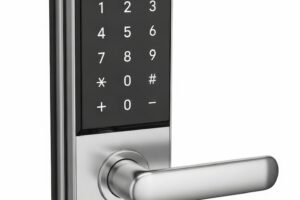


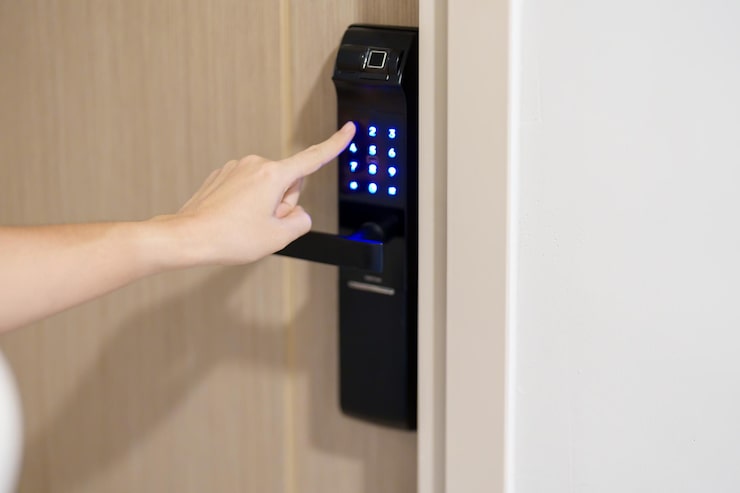
Maintaining a smart lock for HDB gate setups in Singapore requires regular cleaning of sensors, periodic firmware updates, lubrication of mechanical parts, and timely battery replacement. Singapore’s humid tropical climate accelerates wear on electronic components, so proactive care extends device lifespan and ensures consistent security performance year-round.
Your HDB gate lock is the first line of defence for your home. Yet most homeowners set it up once and forget about it — until something goes wrong. A jammed keypad at midnight or a fingerprint sensor that fails to read after a rainy afternoon is not just inconvenient. It is a security risk. A smart lock for HDB gate is a long-term investment, and like any investment, it rewards those who look after it.
This guide breaks down exactly what maintenance looks like in a Singapore HDB context — practical, climate-aware, and built around the way Singaporeans actually live.
Why Singapore’s Climate Demands Extra Attention
Singapore’s average relative humidity sits between 70% and 90% throughout the year, according to the Meteorological Service Singapore. That persistent moisture is not just uncomfortable — it is actively harmful to electronic lock components. Condensation builds up inside keypad housings, fingerprint scanners lose sensitivity, and metal contact points begin to oxidise faster than in drier climates.
HDB gate locks face additional exposure. Unlike indoor door locks, gate locks are installed at the corridor-facing entrance — catching wind, dust, and the occasional rain splash. If you live on a low floor or along a wind corridor, your lock works harder than you might realise.
How Often Should You Maintain Your Smart Gate Lock?
A simple maintenance schedule prevents most common failures. Here is a practical breakdown by frequency:
| Task | Frequency |
|---|---|
| Wipe down keypad and fingerprint sensor | Weekly |
| Check battery level indicator | Monthly |
| Lubricate locking bolt and hinge points | Every 3–6 months |
| Update firmware (if applicable) | When update is available |
| Full hardware inspection | Annually |
Stick to this rhythm and you will catch most problems before they become urgent.
Smart Lock for HDB Gate: Step-by-Step Maintenance Guide
1. Clean the Fingerprint Sensor Regularly
Fingerprint sensors are the most used — and most neglected — part of any digital lock. Skin oils, dust, and humidity leave residue on the scanner surface, which gradually reduces read accuracy. Use a dry microfibre cloth to wipe the sensor surface weekly. Avoid wet wipes or alcohol-based sprays, which can degrade the sensor coating over time.
If your sensor has started rejecting registered fingerprints more often, try re-enrolling the same finger using two or three different angles. Most modern locks allow multiple templates per user, which significantly improves recognition reliability.
2. Replace Batteries Before They Drain Completely
Low battery is the single most common reason a smart lock fails unexpectedly. Most models use AA or AAA batteries and will show a low-battery alert — either a flashing light, a beep pattern, or an app notification. Do not wait for the alert to become critical before acting.
Replace batteries every 6 to 12 months as a baseline, regardless of whether you have received a warning. In Singapore’s heat, batteries discharge faster than the manufacturer’s lab estimates, which are usually based on temperate climate conditions. Use alkaline batteries from reputable brands and avoid rechargeables in locks unless the manufacturer explicitly supports them.
3. Lubricate the Bolt and Moving Parts
The mechanical bolt inside your lock needs lubrication to operate smoothly. Over time, dust and oxidation cause friction, which puts stress on the motor that drives the bolt. This leads to slower operation, louder sounds, and eventually motor failure.
Apply a small amount of graphite-based lubricant or PTFE (Teflon) spray to the bolt mechanism every three to six months. Avoid oil-based lubricants like WD-40 for long-term use — they attract dust and gum up the mechanism over time. For gate hinges, a light silicone spray works well without staining.
4. Inspect and Tighten Physical Mountings
Gates vibrate. Every time your HDB gate opens and closes, micro-vibrations work on the screws and brackets holding your lock in place. Over months, this causes mounting screws to loosen subtly — enough to create misalignment between the bolt and the strike plate.
Every three months, check that:
- All visible screws on the lock body are fully tightened
- The lock casing does not shift or wobble when pressed
- The bolt aligns cleanly with the strike plate without resistance
- Gate hinges are properly secured and not sagging
Misalignment forces the motor to work harder on every lock cycle. Catching it early prevents motor burnout.
5. Update Firmware and Software Promptly
Smart locks connected to a mobile app receive firmware updates that fix bugs, patch security vulnerabilities, and improve performance. Many homeowners ignore these updates — which is a genuine security risk, not just a feature miss.
Enable automatic updates where your app allows it. If you manage access remotely through an app, check every few months that the app itself is running the latest version. Security researchers regularly identify vulnerabilities in smart home devices, and staying current closes those gaps before they can be exploited.
6. Protect the Lock from Direct Rain Exposure
Most smart gate locks carry an IP65 or IP66 rating, meaning they can handle splashing water — but sustained rain exposure is a different matter. If your HDB corridor has no overhead coverage and your gate faces the wind direction, consider installing a simple metal canopy or visor above the gate lock position.
After heavy rain, wipe down the exterior of the lock with a dry cloth. Pay attention to the keypad and fingerprint sensor areas, where water can pool. Prolonged moisture sitting on these surfaces accelerates corrosion of internal seals even on well-rated units.
What Counts as a Digital Lock for HDB Gate Under HDB Guidelines?
HDB’s guidelines state that any modifications to the main gate must not compromise the structural integrity of the unit. A digital lock for HDB gate installation is generally accepted as it replaces an existing lock without altering the gate frame. However, homeowners should check with their managing agent if they are adding accessories like external keypads that require drilling new holes in the gate frame.
Using a licensed installer is strongly recommended. A professionally installed lock is correctly aligned from day one — which prevents the bolt misalignment and undue motor strain that self-installations can sometimes introduce.
Signs Your Smart Lock Needs Professional Attention
Regular maintenance handles most issues. But some problems signal that it is time to call in a professional:
- Bolt moves slowly or partially — possible motor wear or obstruction
- Fingerprint rejection rate suddenly spikes — sensor damage or firmware error
- Keypad backlight flickers inconsistently — electrical connection issue
- Lock reboots randomly — power supply or firmware fault
- Unusual clicking or grinding sounds — internal gear damage
Attempting to disassemble the lock mechanism yourself can void the warranty and cause further damage. Contact your installer or the brand’s local support team promptly when any of these symptoms appear.
Building Long-Term Reliability Into Your Setup
The best maintenance approach starts at the purchase stage. Choosing a lock rated for outdoor use, from a brand with local technical support and a clear warranty policy, removes a lot of the risk before installation. Singapore-based dealers understand local housing configurations, corridor layouts, and the specific challenges of HDB gate setups in ways that general electronics retailers do not.
For homeowners looking for reliable smart lock solutions with professional installation support in Singapore, Lockin Singapore offers a curated range of gate-compatible smart locks built to handle the demands of local climate and HDB living. Regular care, a good installation, and the right product choice add up to a lock that performs — reliably, every single day.
Frequently Asked Questions
How long does a smart lock battery last on an HDB gate?
In Singapore’s climate, smart lock batteries typically last 6 to 12 months with regular use. Heat and humidity can shorten this compared to manufacturer estimates. Replace batteries proactively rather than waiting for a low-battery warning to avoid unexpected lockouts.
Can I install a smart lock on my HDB gate myself?
While DIY installation is possible for some models, professional installation is recommended for HDB gate smart locks. A licensed installer ensures correct bolt alignment, reduces motor strain, and confirms that the setup complies with HDB’s guidelines on gate modifications without structural compromise.
Why does my fingerprint sensor fail more often in wet weather?
High humidity and moisture on the sensor surface interfere with the biometric reading process. Wipe the sensor dry before use and re-enrol your fingerprint at multiple angles to improve recognition accuracy. Regular cleaning prevents residue buildup that compounds the problem during wet conditions.
Is a digital lock for an HDB gate allowed under HDB rules?
Yes, installing a digital lock for an HDB gate is generally permitted as it replaces an existing lock without altering the gate frame. If any drilling or structural modification to the gate is required, homeowners should confirm approval with HDB or their managing agent beforehand.