


Maintaining a Fingerprint Digital Door Lock Clean the sensor periodically using a dry microfiber towel. Change the batteries before they are fully depleted. Re-register fingerprints in case of recognition failure. Look for firmware updates. These four habits, if practiced consistently will prevent most typical failures and extend the life of the lock much beyond five years.
It’s one thing to have a digital lock. Another is to keep it running reliably for years. Fingerprint digital door lock maintenance is something that gets forgotten, until anything happens – a rejected scan, a sluggish response, or a completely dead panel. The good news is that most problems may be avoided with a simple regimen that takes less than 10 minutes a month.
This tutorial will show you exactly what to do, when to do it and what to watch for.
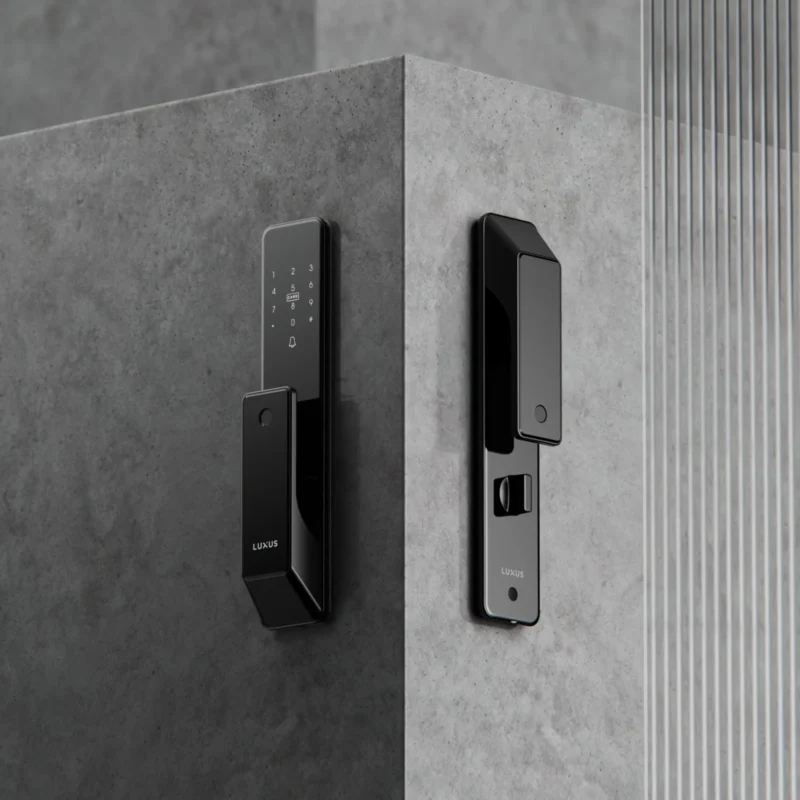
Why Regular Maintenance Matters for Biometric Locks
Fingerprint scanners are precision devices. Below the surface, an optical or capacitive sensor scans the distinctive ridge patterns of your fingerprint. Dust, skin oils, humidity, and ordinary wear reduce reading accuracy with time. In Singapore’s tropical climate, where average humidity levels are constantly above 80% year-round, the maintenance of biometric locks is particularly important.
Neglected locks don’t merely mis-read fingerprints. They can corrode at battery contacts, wear out motors from slow mechanical response, and malfunction at the worst possible time. Routine maintenance is not optional, it is part of owning a decent access system.
How to Clean a Fingerprint Scanner the Right Way
The fingerprint sensor is the most sensitive component on your lock. Here’s how to clean it without causing damage:
What You Need
- A dry, lint-free microfibre cloth
- A small amount of 70% isopropyl alcohol (optional, for stubborn grime)
- A soft-bristle toothbrush or cotton swab for edges
Step-by-Step Sensor Cleaning
- Power off or engage the lock’s safe mode if your model supports it. Cleaning while the lock is actively scanning can trigger false reads.
- Wipe the sensor surface gently with a dry microfibre cloth using light circular motions. Never press hard — optical sensors scratch easily.
- For oily buildup, lightly dampen the cloth with isopropyl alcohol. Wipe once, then follow with a dry cloth. Do not apply liquid directly to the sensor.
- Clean the surrounding frame with a cotton swab to remove dust from the edges. Debris at the sensor perimeter can interfere with edge detection on capacitive models.
- Allow it to dry completely for 60 seconds before testing.
Do this once every two to four weeks, or more frequently if the lock is near a kitchen or high-traffic entry point where grease and dust accumulate faster.
Battery Management: The Most Overlooked Part of Digital Lock Care
Most fingerprint locks in Singapore use four AA alkaline batteries. A common mistake is waiting for the low-battery warning before acting. By that point, voltage has already dropped enough to slow the motor and cause inconsistent fingerprint reads.
Best Practices for Battery Maintenance
- Replace batteries every 6 to 12 months regardless of whether a warning has appeared. High-usage locks may need replacement closer to the six-month mark.
- Use branded alkaline batteries (Energizer or Panasonic). Generic batteries have inconsistent discharge curves that confuse battery level indicators.
- Never mix old and new batteries. Mixed batteries drain unevenly and can leak, corroding the contact terminals.
- Keep a spare set near the door. Most digital locks have an external emergency charging port — but the backup only works if you have batteries on hand.
Check battery contacts every three months for white or greenish residue. If corrosion is present, clean contacts with a cotton swab dipped lightly in vinegar, then dry thoroughly before inserting new batteries.
Fingerprint Re-Enrolment: When and How to Do It
Even a well-maintained sensor can struggle with recognition over time. Skin changes due to aging, dry weather, cuts, or calluses can alter your fingerprint profile enough to cause repeated rejections.
Signs You Need to Re-Enrol
- The lock requires multiple attempts before recognising you
- Recognition accuracy has dropped noticeably in the past month
- You’ve had a skin injury on the registered finger
- A household member consistently struggles to gain entry
Tips for Better Enrolment Quality
When re-registering, enrol each finger three to five times using slightly different angles and pressures. Most locks allow you to register the same finger multiple times under different user IDs — this significantly improves recognition rates across varied real-world conditions.
Also register a backup finger for each household member. If your primary finger is injured or wet, the backup prevents lockouts without needing to call a technician.
Mechanical Components: Don’t Ignore the Physical Hardware
The fingerprint sensor gets most of the attention, but the mechanical parts of your lock are equally important for long-term performance.
Door Alignment
A misaligned door causes the mortise lock bolt to grind against the strike plate with every operation. This strains the motor, shortens its lifespan, and creates the clicking or straining sound many owners report. Check door alignment every six months and call a locksmith if the frame has shifted — this is especially relevant in Singapore’s older HDB flats where door frames can warp slightly with humidity changes.
Lubricating the Bolt and Latch
Apply a dry PTFE (Teflon-based) lubricant to the bolt and latch mechanism once a year. Avoid WD-40 or oil-based lubricants — they attract dust and gum up the mechanism over time. A dry lubricant keeps movement smooth without building residue.
Troubleshooting Common Fingerprint Lock Problems
| Problem | Likely Cause | Fix |
|---|---|---|
| Scanner rejects registered fingerprints | Dirty sensor or changed skin condition | Clean sensor, then re-enrol |
| Lock responds slowly | Low battery voltage | Replace batteries immediately |
| Bolt sticks or grinds | Misaligned door or dry mechanism | Lubricate bolt; check door frame alignment |
| Panel doesn’t light up | Dead batteries or loose contact | Replace batteries; check terminal connections |
| Random beeping or alerts | Firmware issue or tamper alarm triggered | Consult the user manual; update firmware |
Firmware Updates and System Checks
Many modern smart locks — including Wi-Fi-enabled models — receive firmware updates that improve fingerprint algorithm performance, fix security vulnerabilities, and resolve known bugs. Check the manufacturer’s app or website every quarter to see if an update is available.
For locks without app connectivity, review your user manual annually and check if the brand offers updated enrolment software or calibration guides. Staying current keeps your lock performing as intended and ensures known issues are patched.
Building a Simple Maintenance Schedule
Consistency matters more than complexity. Here’s a practical schedule for most homeowners:
- Weekly: Wipe the sensor panel with a dry cloth as part of general door cleaning
- Monthly: Deep-clean the sensor using the method above; test all registered fingerprints
- Every 3 months: Inspect battery contacts; check door alignment; test backup access methods (PIN, RFID card)
- Every 6 to 12 months: Replace batteries; apply dry lubricant to bolt mechanism; re-enrol fingerprints if recognition rate has declined
- Annually: Check for firmware updates; review all stored user profiles and delete unused entries
A well-maintained lock will rarely surprise you. If something feels off — slow response, inconsistent reads, unusual sounds — address it at the next scheduled check-in rather than waiting for a full failure.
When to Call a Professional
Some issues fall outside DIY maintenance. Contact a certified technician if:
- The motor makes grinding or clicking noises consistently after lubrication
- The lock is physically damaged or the casing is cracked
- You’ve been locked out despite a fully charged battery and clean sensor
- The lock is no longer within warranty and performance has significantly degraded
For homeowners in Singapore, Smart Digital Lock Red Dot offers professional support for their range of fingerprint locks — visit their homepage to explore service options and product resources.
FAQ
How often should I clean my fingerprint digital door lock sensor?
Every 2-4 weeks, clean the fingerprint sensor with a dry microfiber towel. In a humid climate such as Singapore, more frequent cleaning is required to prevent moisture and oil accumulation that can affect scan accuracy. Homes near cooking areas may require weekly wipes.
What type of batteries should I use in my digital door lock?
Use name brand AA Alkaline batteries like Energizer or Panasonic. Do not combine old and new batteries and change them every six to twelve months. Poor or low batteries are one of the most common reasons of failures in fingerprint recognition and delayed motor response.
Why does my fingerprint lock keep rejecting my fingerprint?
Most typical causes include a dirty sensor, low battery, or change in condition of your skin. Change the batteries and clean the sensor. If the problem continues, remove the current fingerprint profile and re-enroll it utilizing different angles for improved identification accuracy.
Can humidity damage a fingerprint digital door lock?
Yes, high humidity over lengthy periods of time can harm the sensor and battery contacts. Quality locks often come with an IP-rated shell to withstand the elements but regular maintenance, such as cleaning and checking for contact, remain key in Singapore’s tropical climate.
How do I lubricate my digital door lock without damaging it?
Apply a dry lubricant such as PTFE or Teflon to the bolt and latch mechanism once a year. Do not use oil based sprays like WD-40, they gather dust and deteriorate the internal parts over time. Use sparingly, and promptly wipe away any excess.
When should I re-enrol fingerprints in my digital lock?
Re-enrol fingerprints following a skin damage on a registered finger, when recognition accuracy declines or during your yearly maintenance check. Far more dependability for day to day use, by registering the same finger at varied angles, and registering a back up finger.