A business card is still one of the simplest tools to introduce yourself, but printed cards are no longer enough. Today, a scannable business card makes sharing your contact details quicker and cleaner.
With a simple tap or scan, your details appear on any smartphone with no typing, no hassle. Whether you’re a business owner, freelancer, or job seeker in Singapore, using this smart card helps you stand out and stay ready at all times.
It’s easy to carry, simple to update, and ideal for modern networking. This guide will walk you through what a scannable card is, why you might need one, and how to choose the right provider. If you’re ready to ditch outdated paper cards, this is the place to start.
What Is a Scannable Business Card?
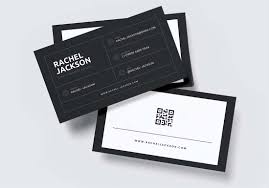
A scannable business card is a smart card that helps you share your contact info without using paper. It comes with a QR code or NFC networking card tech. When someone scans or taps it with their phone, your profile or contact page opens at once.
There’s no need to type names, numbers, or links for it. You can also update your info without printing a new card. This makes it easy to stay current and look professional at the same time.
Why You Might Need One
Stay Ready Anytime
When you meet someone at a café, event, or office, you need a quick way to share your details. A scannable business card helps you do that in seconds — no typing, no delays.
Make a Strong Impression
People remember smooth interactions. A digital tap or scan feels modern and shows you’re up to date. It sets you apart from others still using old paper cards.
Keep Your Info Current
Job title or phone changed? You don’t need to throw your card away. Just update your profile link. Your card stays relevant for years.
Avoid Clutter
No stacks of paper, no mess. One sleek card is all you need. It fits in your wallet and works whenever you need to share contact details fast.
Benefits of Scannable Cards
Fast Contact Sharing
A scannable card lets you share your contact details with one scan or tap. There’s no need to type numbers or search online. It saves time during meetings or events.
Always Current
You can update your details online at any time. There’s no need to reprint when your phone number, email, or job title changes.
Smart and Sleek
These cards often look more modern than paper ones. They’re slim, easy to carry, and leave a strong impression.
Better for the Environment
One card replaces hundreds of printed ones. It helps cut down paper waste and supports eco-friendly practices.
Works with Most Phones
Most cards include both QR and NFC networking card tech. This ensures they work with all smartphones.
What to Look for in a Card Maker
Custom Branding
Your card should reflect your personal or business brand. Choose a provider that allows you to add your logo, select colours, and pick a clean font. A strong design helps people remember you.
NFC Compatibility
Pick a card maker that offers NFC networking card features. This makes contact sharing quick with just a tap. Ensure it works with both iPhone and Android.
Easy to Update
Look for an option where you can change your contact details online without replacing the card. This keeps your information fresh.
Secure and Private
You should control what people see. The best services offer secure links and let you hide or show details as needed.
Local Support
Choose a Singapore-based provider for faster delivery, local payments, and better customer service.
NFC Networking Card Feature
Many cards now come with NFC card tech. This means someone only needs to tap the card with their phone to see your details. No camera, no scan, just tap.
But make sure the card works with most phones. Some older phones may need the QR option instead. A good card has both.
Easy Setup and Edit Options
You should be able to set up your card in a few steps. No complex forms. You create a profile, link it, and you’re done.
Also, you should be able to log in later and update your contact info anytime. A clear dashboard helps with this.
Good Link Features
What do you want people to see when they scan your card? You should be able to choose what the card links to, like:
- Your contact form
- LinkedIn or CV
- Your website
- A portfolio or video
Your card should help others learn more about you or your work at once.
Safe and Private
It’s your contact info. You should be in control. Ask:
- Can I choose what others see?
- Is my data safe?
- Can I hide details if I want to?
The best card makers make this part simple and secure.
Local Support in Singapore
Buying local has benefits. You get:
- Faster delivery
- Help in your time zone
- Easy returns or changes
- Local payment options
Also, if you need bulk orders for a team, local makers can guide you better.
Cost vs Value
These cards may cost more than printed ones, but think of the long-term use. You don’t need reprints. You can update them as often as you need. Plus, you make a stronger impact when networking.
So don’t just go for the cheapest. Choose a card that works well and lasts long.
QR Code Only or NFC Networking Card?
Some cards only use QR codes. Others come with NFC networking card tech. Which one is better?
QR Code Only
- Simple
- Works with all phones
- Often cheaper
NFC Networking Card
- More modern
- Quicker sharing
- No scan needed
The best option? A card that has both. That way, it works for everyone, no matter what phone they use.
Business Owners
Great for sharing websites, product pages, or booking links. A business card helps you connect fast and look professional during meetings or events.
Sales Teams
Salespeople can use NFC cards to link to product catalogues or order forms. Quick access builds trust and shortens follow-up time.
Job Seekers
A modern way to share your CV, LinkedIn, or portfolio. These cards show you’re prepared and serious, which makes a strong impression at interviews.
Freelancers and Creatives
Photographers, designers, or musicians can link directly to portfolios or videos. A simple tap lets people explore your work on the spot.
Event Attendees
Perfect for trade shows or conferences. Instead of carrying a stack of paper cards, one digital card does it all — clean and smart.
Final Things to Check Before You Order
Before placing your order, take a moment to review a few key points. Start with the build quality. A card should be strong and durable as plastic, metal, or wood are solid options. Next, check if the card includes both a QR code and networking card features. This ensures it works with all types of phones.
Make sure the card allows easy updates. You should be able to log in and change your contact details anytime. Confirm that the card links to the right profile or page and that you control what others see.
Look into customer support. If something goes wrong, is help easy to reach? Finally, check for any hidden charges. The price should cover everything including updates, support, and delivery within Singapore.
Conclusion
Picking the right scannable business card maker in Singapore doesn’t have to be tricky. Focus on what matters as a strong design, NFC card tech, ease of use, and reliable support.
A well-made card saves you time, keeps your contact info fresh, and helps you build better connections. Whether you want to share a website, a profile, or your latest work, a smart card makes it simple.
Choose one that reflects your style, fits your budget, and delivers a smooth experience for both you and your contacts. In a world where first impressions matter more than ever, this small upgrade to your networking tools can make a big difference. One card, one tap and you’re already ahead.
FAQs
1. Do scannable business cards work without an app?
Yes. Most scannable cards work with a simple tap (NFC) or scan (QR code), with no need to install any app.
2. Will the card work with all smartphones?
Most modern phones support NFC or QR scanning. If a phone can’t use NFC, the QR code offers a reliable backup.
3. Can I change my contact details later?
Yes. You can log in to your profile and update your info anytime. The card itself stays the same.
4. Is it safe to share personal details this way?
Yes. You control what’s shown on your profile. A good provider lets you hide or show info and keeps your data secure.
These smart cards are simple to use, reliable, and safe — ideal for anyone who wants to connect quickly and leave a strong impression.